

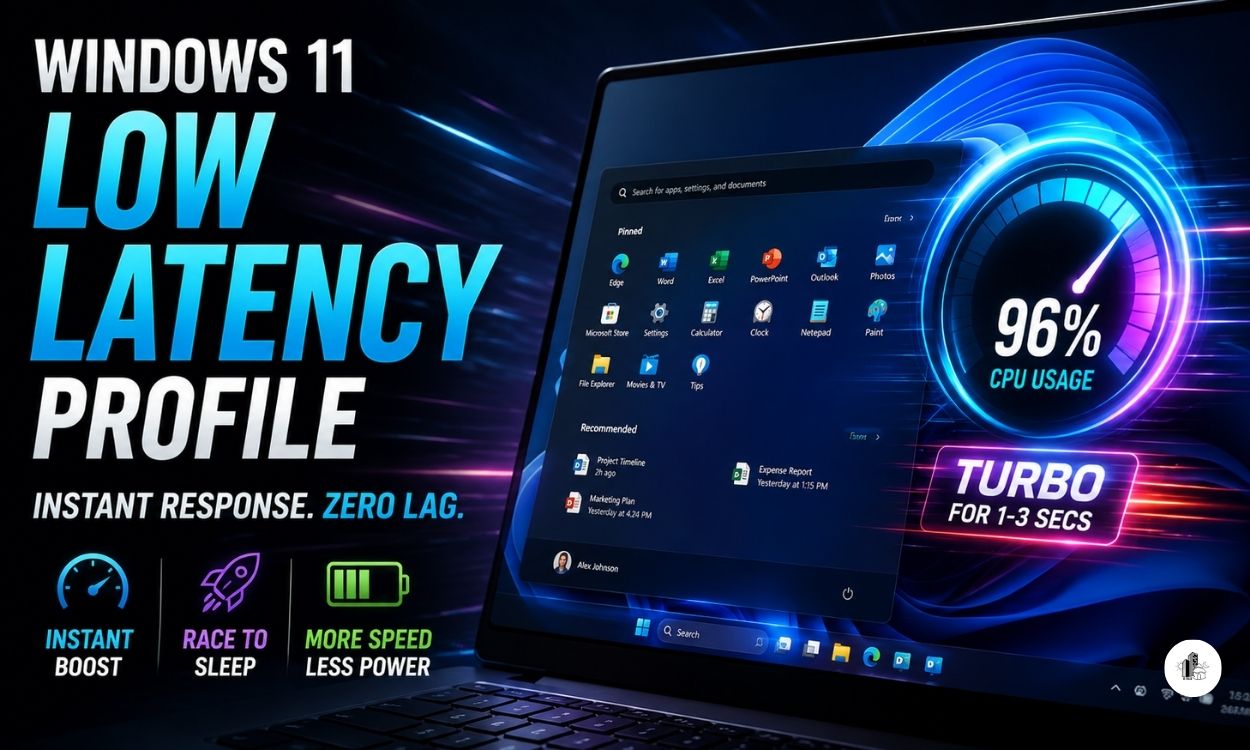
Your computer processor spikes to 96% utilization the exact millisecond you click on the Windows 11 Start Menu. This does not happen because your PC is crashing or caught a dangerous virus. It happens because Microsoft is quietly testing a hidden performance engine called the Low Latency Profile.
For years, users have complained that Windows 11 feels slightly heavy, sluggish, and filled with micro-stutters. This new under-the-hood project aims to completely erase that interface lag. It forces your system to respond instantly to your hands, turning even budget laptops into lightning-fast machines.
What is the Low Latency Profile?
Every time you open an application, your computer processor behaves like a driver gently accelerating from a red light. The software slowly tells the hardware that a task needs attention, and the chip gradually builds up speed to handle the workload. This step-by-step ramp-up creates a tiny, annoying delay before your app actually shows up on the screen.
The Low Latency Profile completely rewrites this behavior. Part of Microsoft’s internal “Windows K2” optimization push, this background feature acts like a temporary turbo button. The moment your mouse clicks a file or a system menu, Windows slams the gas pedal completely to the floor.
The Short Burst Strategy
The system does not keep your computer running at maximum speed forever, which would overheat your machine and drain your laptop battery. Instead, it spikes the processor core straight to its absolute highest limit for a brief period of one to three seconds.
This sudden blast of raw speed forces the heavy application window to snap open immediately. The second the window is visible and ready for you to use, the feature instantly cuts the power and lets the processor drop back down to a peaceful, low-power state.
“This technique relies on an industry engineering practice known as ‘Race to Sleep‘ or ‘Race to Halt‘. By finishing a heavy calculation as fast as humanly possible, the hardware can spend more time resting in an idle state.”
“Wait, have you read this yet?”
Real World Speed Improvements
Tech experts and early software testers have spent weeks manually unlocking this feature on slow, low-end computer hardware. The real-world results show a dramatic difference in how the operating system feels during daily use.
System Performance Breakdown
| Windows 11 Interface Element | Estimated Loading Speed Improvement | Real-World User Impact |
| System Menus (Start Menu, Search, Action Center) | 70% Faster Response | Eliminates the micro-stutters when looking for files. |
| Built-in Apps (Microsoft Edge, Outlook Mail) | 40% Faster Launch | Windows instantly snap open with zero click-and-wait lag. |
| Third-Party Software (External apps, tools) | Notable Boost | Cleans up the sluggish opening response on budget devices. |
To prove how well this works, testers ran Windows 11 on a weak virtual machine restricted to just two processor cores and a tiny 4GB of memory. Normally, this setup causes painful lag. With the Low Latency Profile active, apps like Outlook jumped from a sleep state to full operation inside three seconds, making the cheap setup feel premium.
The Big Debate: Great Feature or Lazy Fix?
Whenever Microsoft drops a major update, the internet reacts with a mix of excitement and skepticism. A vocal group of online critics quickly labeled this new turbo mode a lazy shortcut. They argue that instead of writing clean, fast, and lightweight software code, Microsoft is simply throwing brute hardware force at a bloated operating system.
Standing Up to the Trolls
Microsoft Vice President Scott Hanselman openly fired back at these critics on social media platforms. He pointed out that this behavior is not cheating or a design flaw; it is an industry gold standard.
Other operating systems have quietly used this exact trick for years. Google Android uses a dynamic performance framework to keep scrolling smooth, while Apple macOS and iOS rely on unique priority classes to ensure the user interface never hitches when you touch the screen. Microsoft is simply catching up to make Windows 11 just as responsive as a premium smartphone or a modern MacBook.
Loving this analysis? Let’s stay connected!
Join our WhatsApp & Telegram Channels: Get the latest movie alerts and box office updates directly on your phone. [WhatsApp] & [Telegram]
Follow us on X (Twitter): For quick threads, daily polls, and viral cinema news. [Click Here]
Join our Quora Space: Participate in deep discussions and share your own theories with fellow movie buffs. [Click Here]
When Will My Computer Get This?
You do not have to wait a long time to experience this performance upgrade. Microsoft recently moved these speed improvements out of closed development environments and pushed them into the official Windows 11 Release Preview Channel under Build 26200.8514. This channel represents the very final testing ring before an update goes live for the entire planet.
Expected Rollout Dates
Late May 2026: Eager users who like manual control can download this speed boost early as an optional, non-security preview update.
June 2026 Patch Tuesday: Microsoft will officially integrate this feature into its mandatory monthly update, automatically installing it on millions of Windows 11 PCs globally.
Right now, the feature operates completely automatically in the background with no manual on-or-off switch inside the standard Settings menu. It runs invisibly, ensuring your machine stays highly responsive without demanding your attention.
What Do You Think?
Do you think forcing the processor to max out for a few seconds is a smart way to make Windows 11 feel smooth, or should Microsoft spend more time removing system bloat instead? Does your personal laptop suffer from annoying micro-stutters when you click open the Start Menu?












Leave a Reply